
From template to verified digital credential — in 6 steps
Scroll down to see the full lifecycle of a digital credential — from creation through to verification and potential revocation.
Prepare a template
Define the credential scenario, branding, and multilingual content in the intuitive template builder.
- Scenario selection: course, certification, qualification, event
- Badge, PDF diploma, validity period, institution branding
- Content in multiple languages — e.g. English + Polish
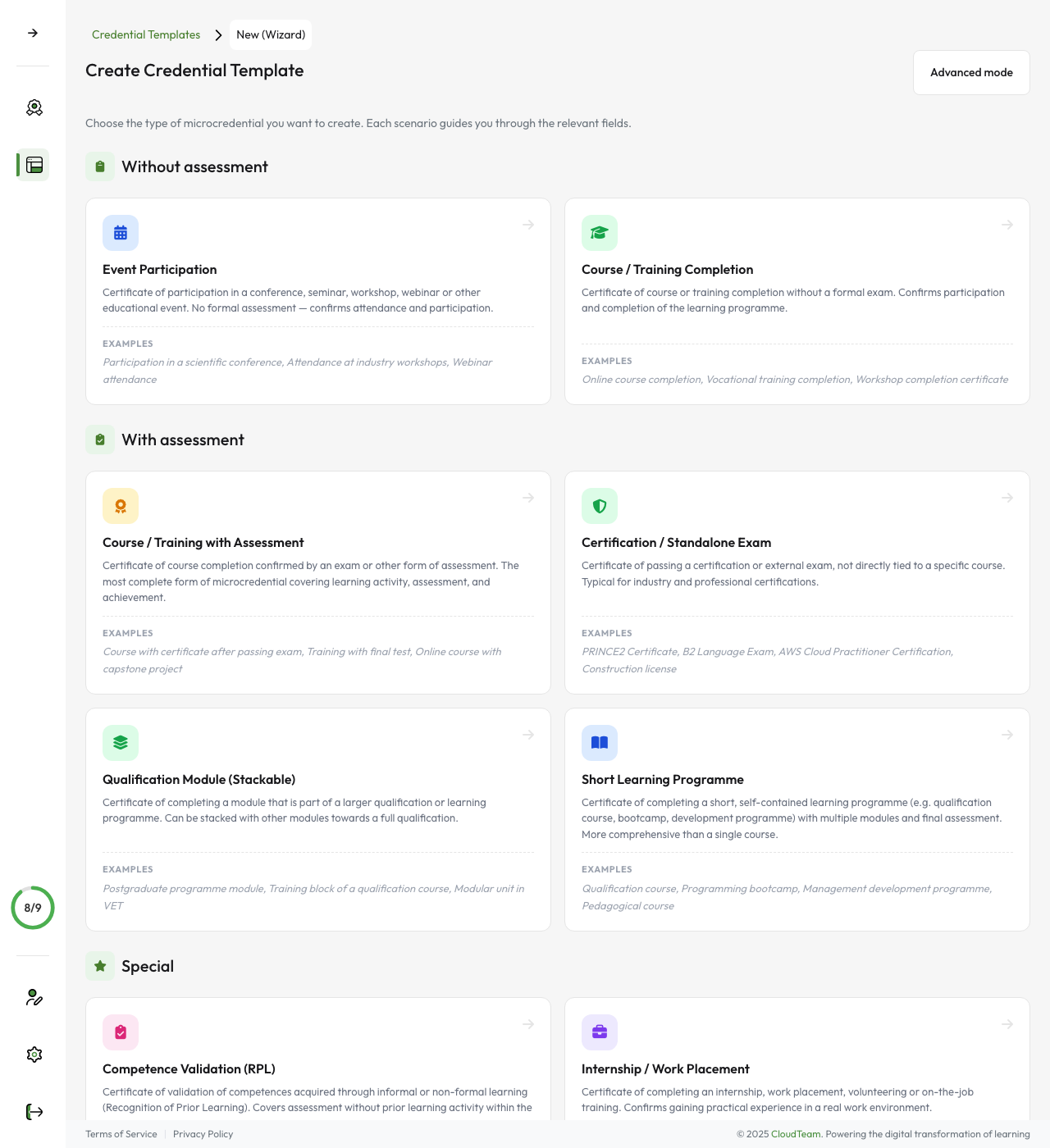
Manually
Step-by-step wizard
CSV / Excel
Recipient list import
Moodle
Automatically from LMS
API REST
Programmatic integration
{
  "type": "VerifiableCredential",
  "issuer": {
    "name": "University XYZ"
  },
  "credentialSubject": {
    "name": "John Smith",
    "achievement": "…"
  }
} Issue a credential
Choose one of four issuance methods — each triggers the same automated process.
The system generates a complete document in JSON-LD format (European Digital Credentials standard) along with a PDF version featuring an attractive digital diploma visualisation and credential details in the supplement. The entire process is fully automated.
Qualified electronic seal (qSeal)
The document is automatically sealed with a qualified electronic seal compliant with the eIDAS regulation.
The qSeal guarantees that the document originates from a verified issuer and has not been modified. It is the digital equivalent of notarised authentication.
 Compliant with eIDAS Regulation (EU) No 910/2014
 {
"type": "VerifiableCredential",
"issuer": {
"name": "University XYZ"
},
"credentialSubject": {
"name": "John Smith",
"achievement": "…"
},
"proof": { // qSeal }
} 
Delivery to wallet
The recipient receives a notification and claims the credential in their digital wallet.
- Email notification with a claim link
- Web wallet (wallet.credentium.com)
- Mobile app (iOS + Android)
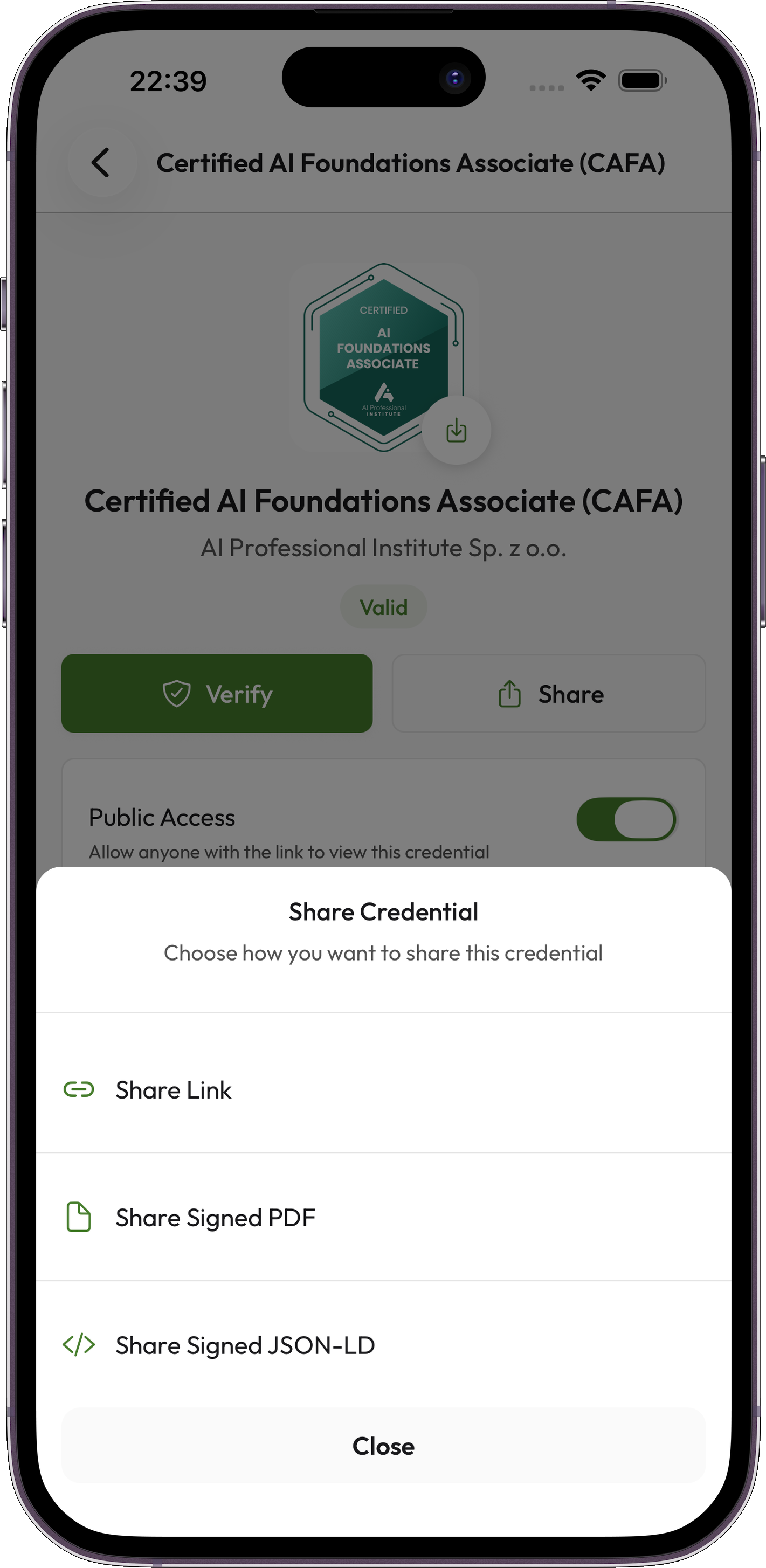
Sharing and verification
The recipient shares the credential with one click, and verification happens in real time.
Credential revocation
The issuer can revoke a credential at any time when necessary.
The status updates immediately — at every verification, the credential will be shown as revoked. Reasons may include incorrect data, loss of qualification, or breach of terms.

Ready to get started?
Schedule a demo to see the entire process in action, or start with a free trial.
Schedule a demo